

Franchise Supply Management System

Stores order online.
HQ ships with one click.

From a store order to expiry-aware batch picking, invoice PDFs and month-end stocktakes, all in one system.

Contact us
Trusted byalfa teaChaHalo
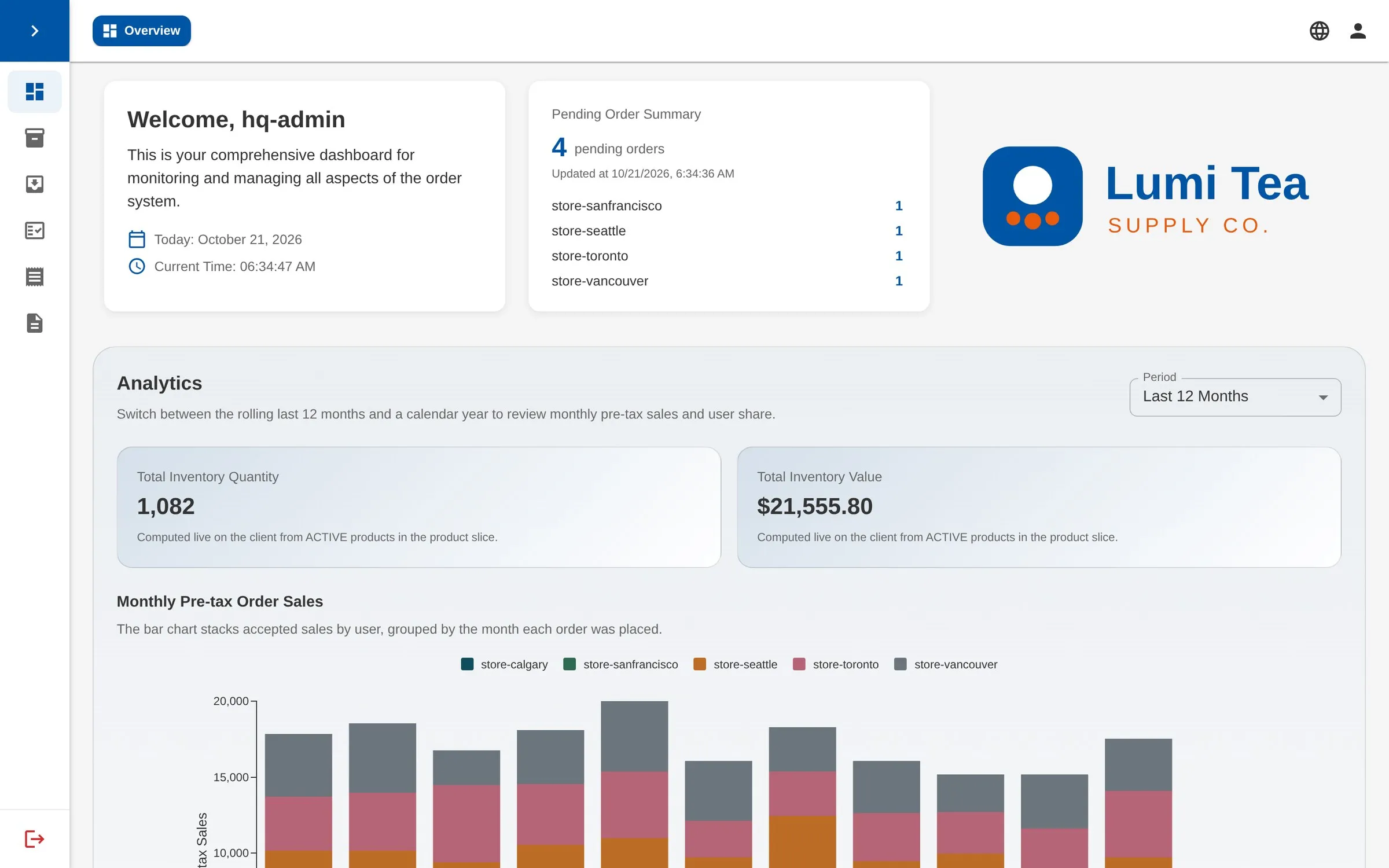
The FSMS head-office overview: pending orders by store, stock value and twelve months of sales.
Before and after

Ordering used to live in chats and spreadsheets. Now every step is on record.

Three everyday headaches in a franchise network, and how FSMS handles them.

  • Orders arrive by WhatsApp, text and phoneEvery store orders in one place

    Orders land in Pending orders. Nothing to copy, nothing missed.

  • Invoices typed and emailed by handAccepting an order sends the invoice PDF

    The server prices every line; statements are ready at month-end.

  • Stock expires before anyone noticesFirst-expiry, first-out

    Accepting an order draws from the earliest-expiring batch.

Core features

Three features that save HQ the most time

One-click acceptance

Press Accept. Stock, batches and the invoice are handled together.

FEFO picks the earliest-expiring batches, stock is deducted, and an invoice PDF goes to the store and HQ.

  • Preview and adjust the allocation first
  • Expired stock raises a warning before you confirm
  • An interrupted acceptance resumes without double-deducting
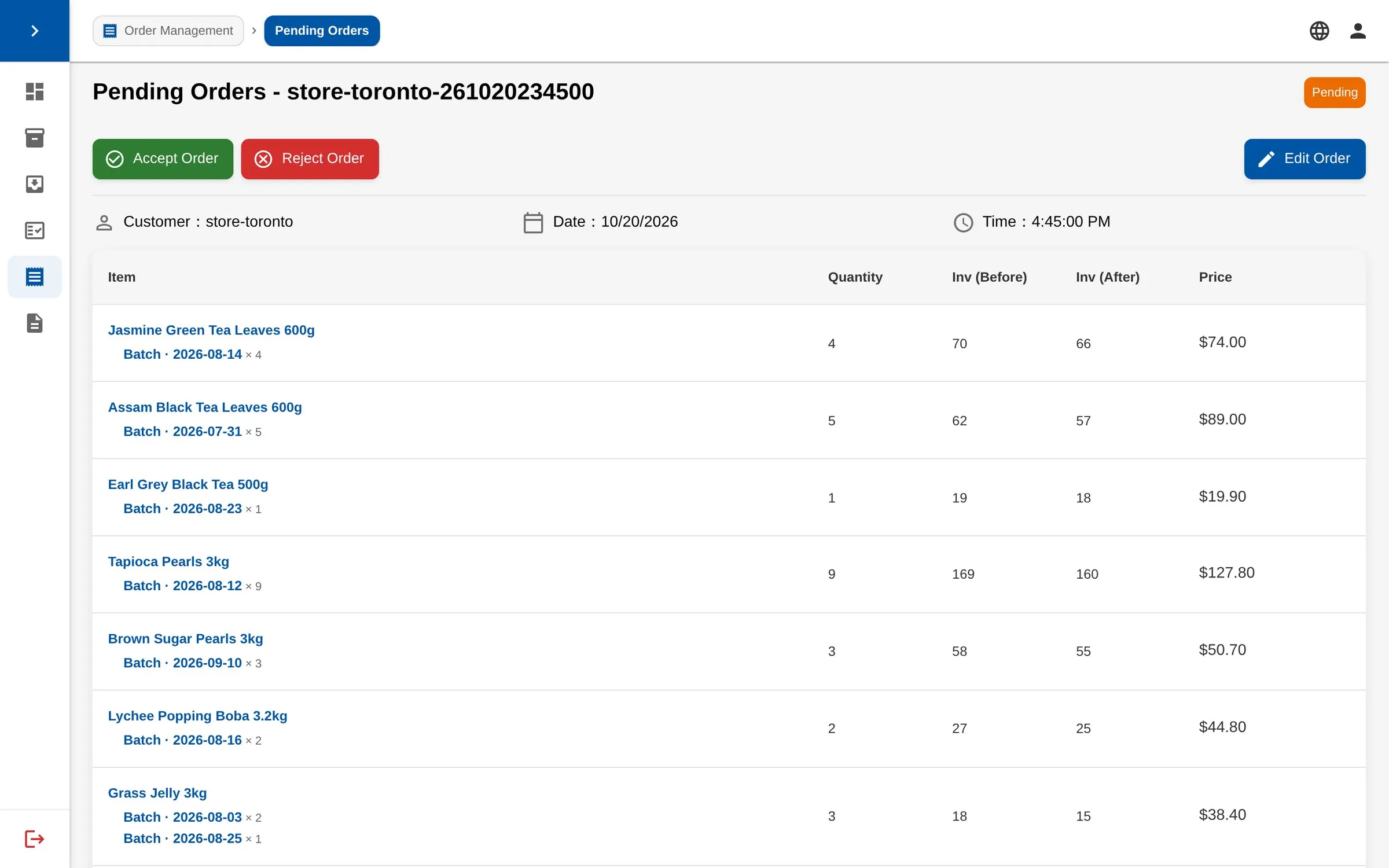
A pending order from the Toronto store, with the batch each line will be picked from.
Batches & expiry

Every batch is tracked by production and expiry date.

Receiving fills in the expiry date from the product's shelf life, and near-expiry stock stands out.

  • Sort by expiry, production date or quantity left
  • Depleted batches stay in history
  • Low-stock email alerts
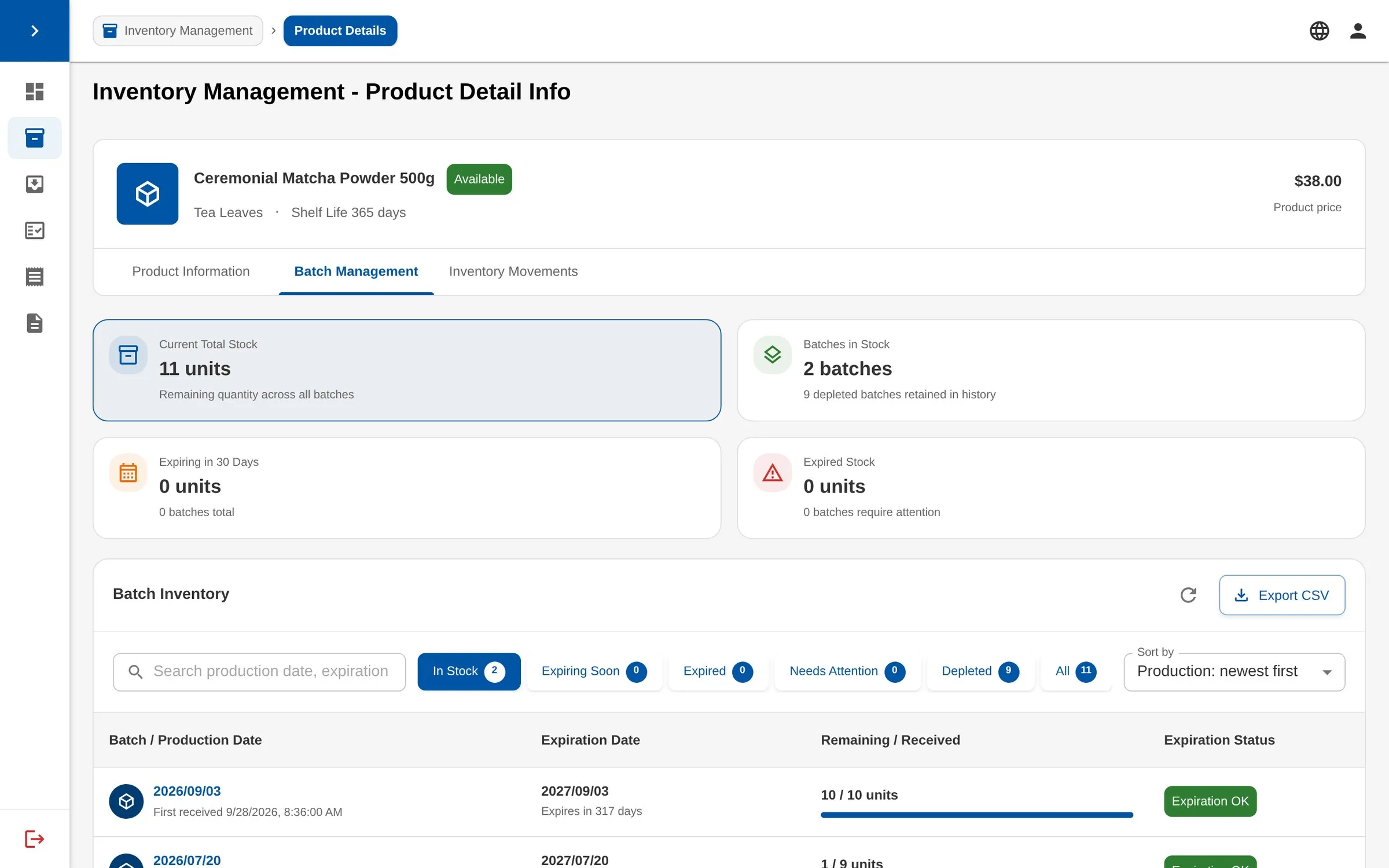
Batch management for a matcha powder: stock in each batch, expiry dates and expiry status.
Stocktake

Count item by item; stock adjusts itself.

Leave and come back any time. Applying the count adjusts every batch and keeps a record.

  • Confirm matching counts in one tap
  • Differences are highlighted
  • Every stocktake is kept on record
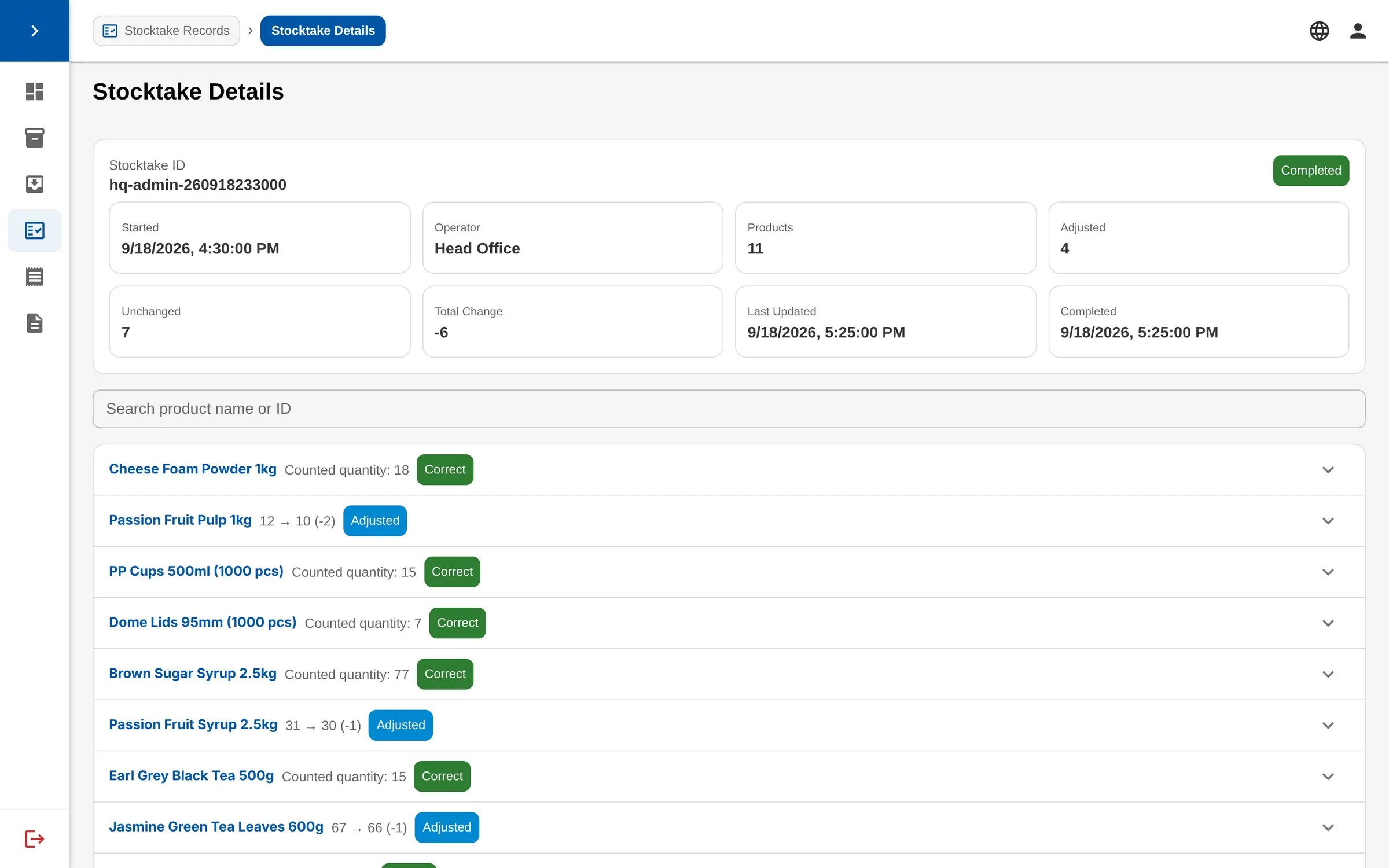
A completed stocktake: products counted, adjusted and unchanged, with the difference for each item.
For stores

A store orders on an iPad. One look is enough.

Staff pick items by category and send the order. It works the same on a phone or a desktop.

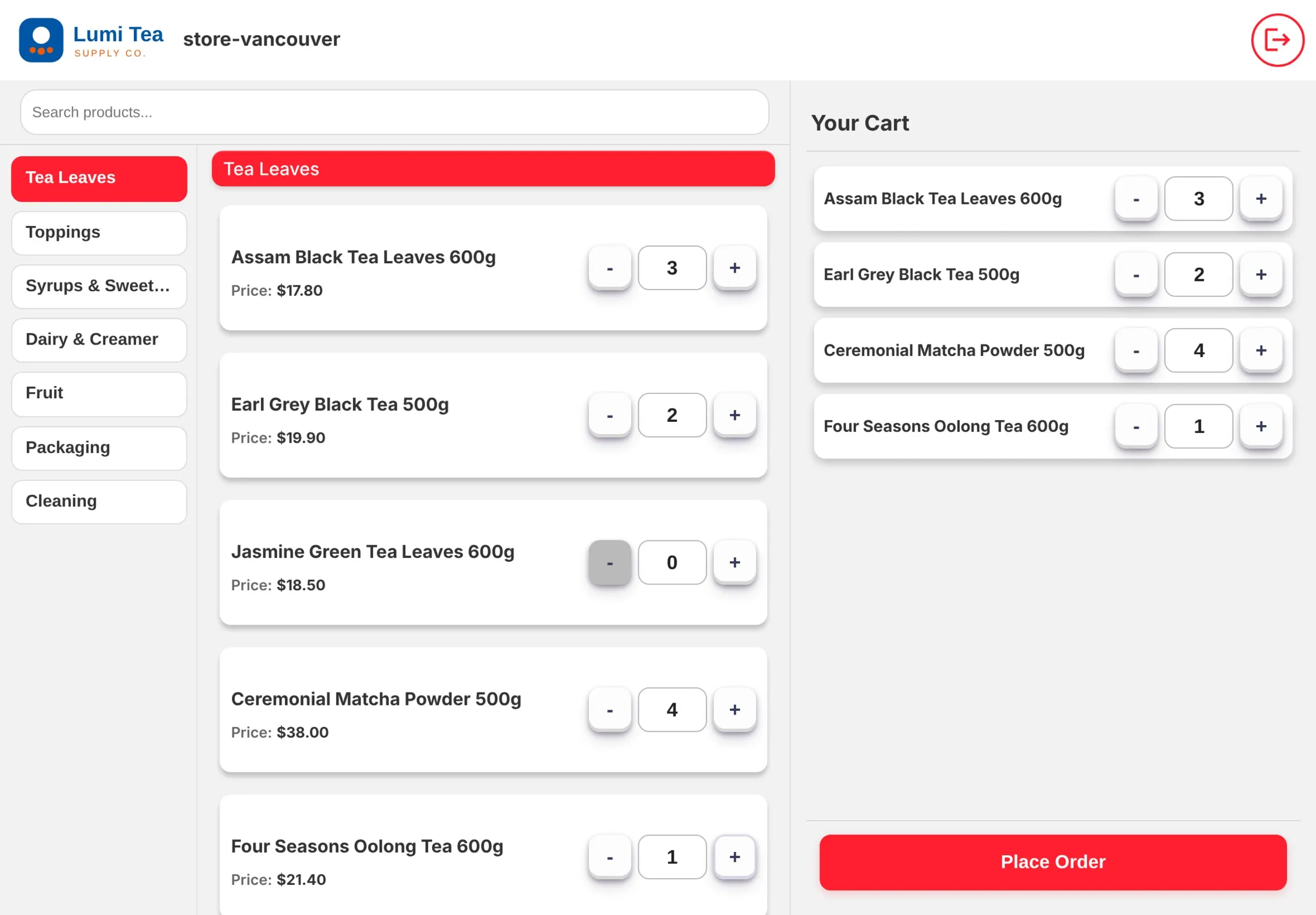
The store ordering screen on an iPad: categories on the left, products in the middle, the cart on the right.
And more

Everything else day-to-day operations need

  • Receiving

    Enter the production date and the expiry date is calculated from shelf life. Drafts save themselves.

  • Monthly statements

    Statement PDFs per store and month, emailed and ready for the accountant.

  • Low-stock alerts

    An email goes out when a product drops below its safety level.

  • Multi-store, multi-language

    Separate HQ and store roles, English and Chinese, each store on its own time zone.

Want this for your franchise? Let's talk.

Tell us how many stores you run and how they order today, and we'll suggest a setup.

Email us